Our corporate video bumpers are available as Motion Graphic Templates. You can use these when editing videos in Adobe Premiere Pro. Read on to find out how to install these templates.
Importing .mogrt files
- Open your project in Premiere Pro.
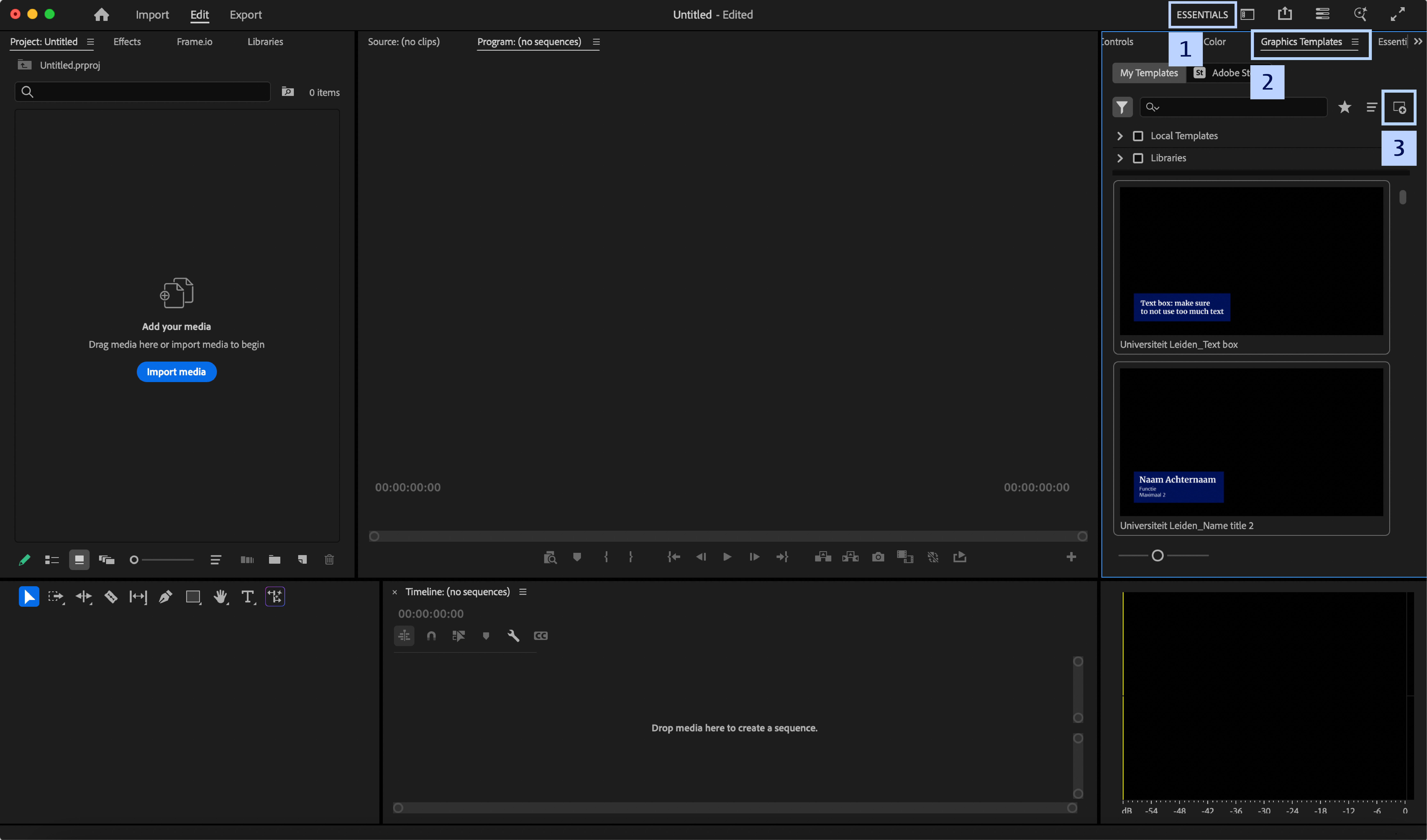
- Go to Window > Graphics Template at the top of the screen.
- In the right-hand corner of the Essential Graphics panel, click on the ‘Install Motion Graphics Template’ icon.
- From the screen that opens, browse to the .mogrt files. Select a file and click on ‘Open’.
- You will now see the bumper in your Essential Graphics panel. To use it in your project, drag it to the timeline.
Editing .morgt files
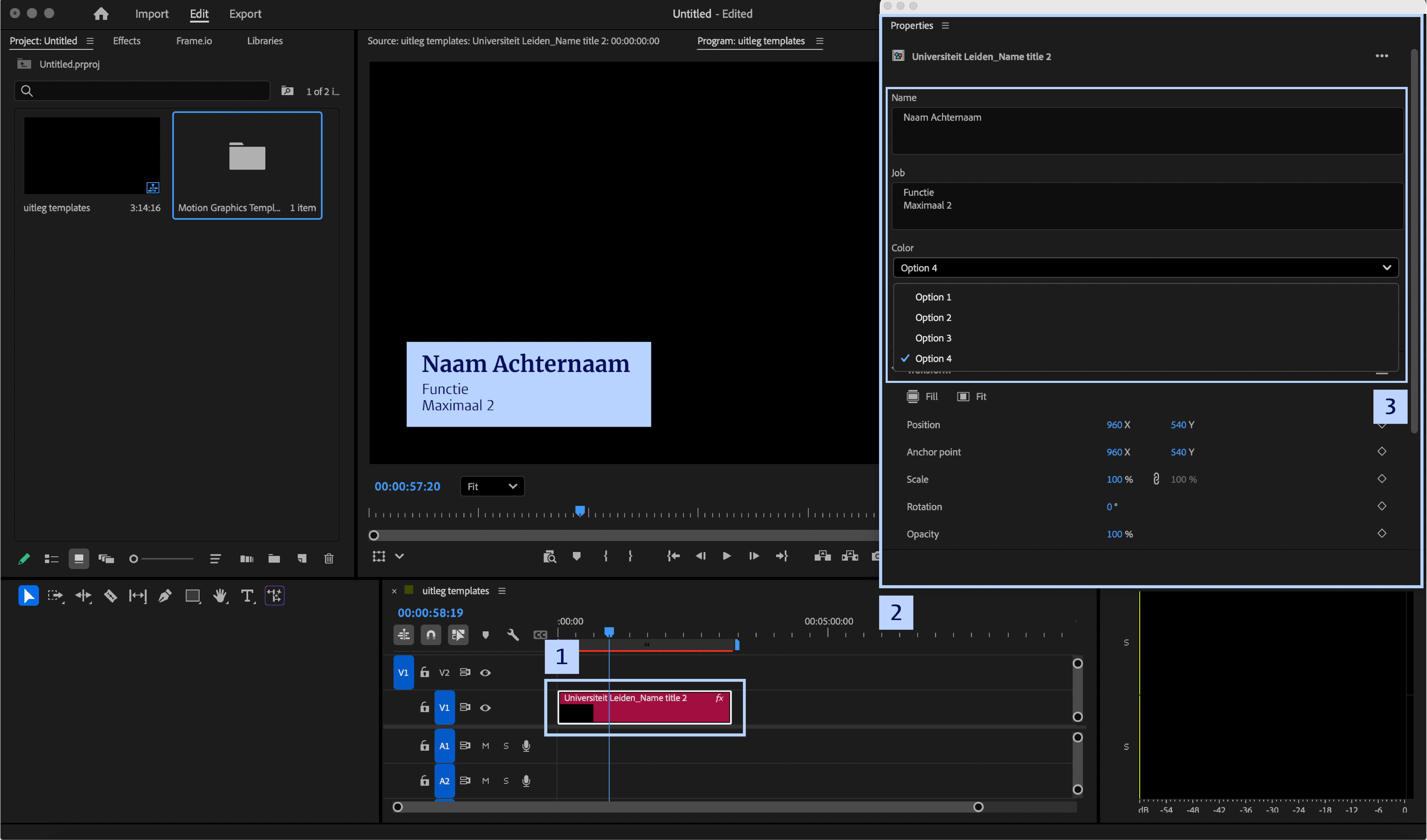
- Drag a template to your timeline.
- Click on the template.
- The Edit tab will open in the Essential Graphics panel. This is where you can change and scale titles. Always use the Open Sans typeface. This is set as the default.
Log in om een reactie achter te laten of registeer je.