Good, user‑friendly templates are essential to making the house style easy to use. But creating them takes a lot of work, and we’re working closely with users and with the ISSC to achieve this. The examples below are a first impression. The final versions will be released in the coming months.

Different versions of the logo, such as faculty logos, will not be included in the templates, partly for cost reasons. You may create your own templates with these logos, or have someone create them for you. However, our preference is to use the general university logo rather than faculty or institute versions. The general logo is available for everyone to use.

Office

The range of Office templates will be expanded. These are the first ones.  

PowerPoint

April 2026 version

You will also find this template in PowerPoint, by selecting File > New > Universiteit Leiden. The range of slides is clearer and more consistent in this new version. There is a link to an instruction page in the first slide. 

Please note: Click on the arrow part of 'New slide' to find the different types of slides. 

Word

Publicaties

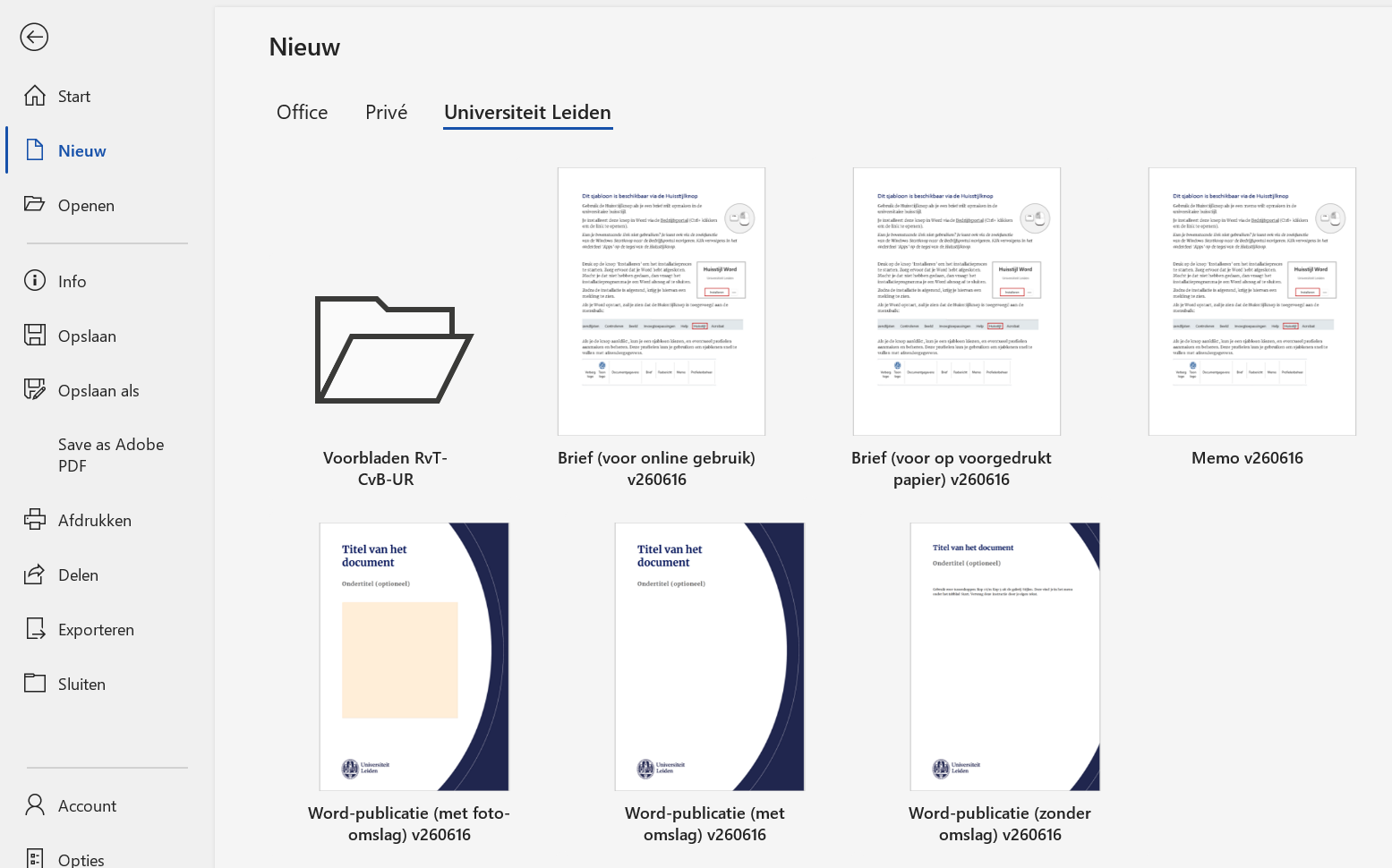
Sjablonen voor publicaties - met of zonder (foto)omslag - vind je in de map met universitaire sjablonen in Word. Je komt daar via Bestand > Nieuw (in de linkerkolom) > tab 'Universiteit Leiden' (onderin)

AAAAA

Sjablonenmap Sjablonenmap

Brieven en memo's

Voor het opmaken van brieven en memo's in de universitaire huisstijl gebruik je de Huisstijlknop. Lees de installatie- en gebruiksinstructies.

PowerPoint

Versie maart 2026

Dit is de tweede, verbeterde versie van het template dat al beschikbaar was. Je vindt het template nu ook in PowerPoint, via Bestand > Nieuw > Universiteit Leiden.

Het aanbod van slides is in deze nieuwe versie overzichtelijker en consistenter gemaakt. Op de eerste slide staat een link naar een instructiepagina

Let op: Je vindt de verschillende slidevarianten door op de onderste helft van de knop 'Nieuwe dia' te klikken. 

PowerPoint

Versie maart 2026

Dit is de tweede, verbeterde versie van het template dat al beschikbaar was. Je vindt het template nu ook in PowerPoint, via Bestand > Nieuw > Universiteit Leiden.

Het aanbod van slides is in deze nieuwe versie overzichtelijker en consistenter gemaakt. Op de eerste slide staat een link naar een instructiepagina

Let op: Je vindt de verschillende slidevarianten door op de onderste helft van de knop 'Nieuwe dia' te klikken. 

Adobe Express

We have chosen to use Adobe Express because the university has a campus‑wide licence for Adobe products. We’re currently testing the templates and access options. Clear instructions for Adobe Express, along with the final templates, will follow soon. For now, here are a few examples to give you an idea:

To use Adobe Express, you will need to install Adobe Creative Suite. This is free for staff members. Read the instructions on how to download and install it. We're currently working to make Adobe Express work better for our organisation. If you are unable to figure something out, let us know at huisstijl@leidenuniv.nl.

Indesign

If you work with Adobe InDesign, you'll be able to use most of the Adobe Express templates in InDesign too.

Video templates

Video templates such as intros, outros and name bars are available for Adobe users. These are .mogrt files that you can load into your video project and adjust. There are also transparent .mov files of the intro, outro and a bumper, which you can easily place over a video when using other programmes.

Please note: not all programmes support these video files.

Download templates

Download all the templates here: Leiden University video templates Adobe 2025